Payday view
See what is available until payday after bills and savings are set aside, with a forecast of your balance.
Plan your month, track your spending and see what is left until your next payday. Start on this device in seconds, then sync or share with your household when you want to.
No bank login. No account needed to start.
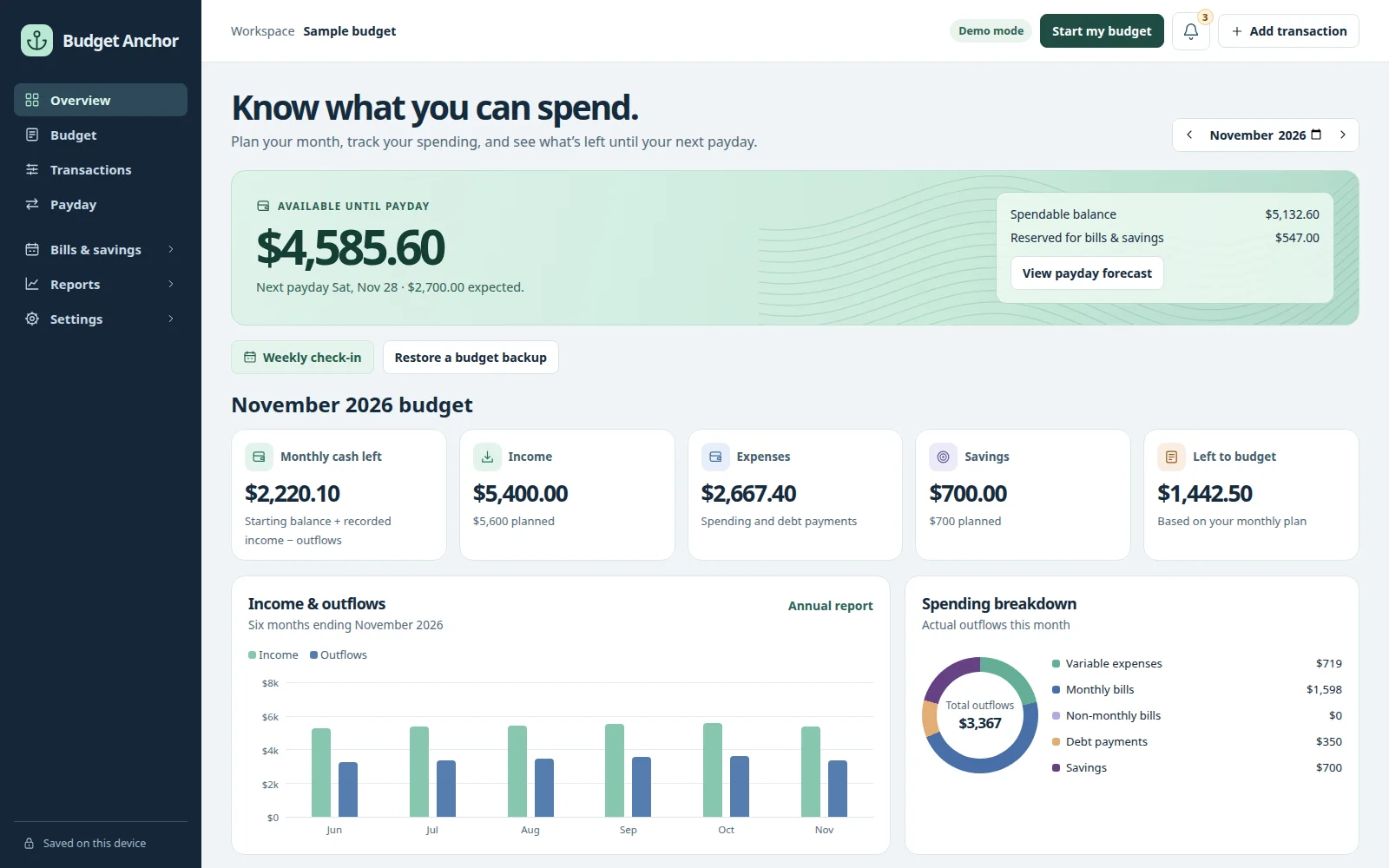
Budget Anchor is built around one question: how much can I spend before my next paycheque?
See what is available until payday after bills and savings are set aside, with a forecast of your balance.
Yearly, twice-yearly, quarterly and one-time bills get a monthly set-aside that adjusts to what you have saved and the time left.
Invite members, pool income into a joint account, and assign or split expenses while keeping each person’s activity clear.
Get reminders seven days and one day before a bill is due, in the app, in your calendar or by email.
Import CSV, TSV and text-based PDF statements. Review duplicates, apply your rules and spot recurring charges.
Save report filters, tag transactions, filter by member and attach receipt photos or PDFs.
Track goals, plan debt payoff with snowball or avalanche, and watch your net worth over time.
Install it on your phone or computer. Device budgets keep working without a connection.
Open the app and build your budget right away. Nothing leaves your browser.
Set your paydays, monthly bills, irregular bills and spending categories, or import a statement.
Create a free account to use the same budget on every device or share it with your household.
Budgeting should not mean handing over your bank password.
Budget Anchor never asks for bank credentials. You choose what to enter or import.
A device budget is stored in your browser and is not sent to our servers.
Synced budgets and receipts are only available to the members you invite.
Your financial information is never sold or used for advertising.
No. Open the app and start a budget on this device. Create a free account only when you want to sync across devices or share with your household.
No. You never share bank logins. Add transactions by hand or import CSV, TSV or text-based PDF statements from your bank, and Budget Anchor flags duplicates and suggests categories.
Add a yearly, twice-yearly, quarterly or one-time bill with its due date. Budget Anchor works out what to set aside each month from the amount, what you have already saved and the time left, and updates that figure when anything changes.
Yes. Create a cloud budget and invite people by email. You can pool income into a joint account and assign or split expenses by person, while still seeing who spent what.
Yes. Budget Anchor reminds you seven days and one day before an unpaid bill. Reminders show in the app, can be added to your calendar, and can be sent by email for synced budgets.
Yes. Install it on your phone or computer from the browser. A device budget keeps working without a connection.
Canadian dollars, US dollars, euros, British pounds, Australian dollars and New Zealand dollars.
Budget Anchor is free to use.
Yes. A device budget can be cleared from Settings. Signed-in users can delete their account from the Account page, which removes their cloud budgets, receipts and reminder settings.
Start your budget now. It takes a few minutes and you can sync it later.